Studio Dashboard
- Cancelling a member's booking now takes care of everything at once — the spot is released, any class-pack credit is returned, the next person on the waitlist gets the place, and the member is notified
- Search boxes and wide tables across the dashboard got a visual tidy-up
- New dashboard signals flag open payment disputes, weekly utilization, and low-attendance classes at a glance, so you can step in before a deadline passes or a session goes empty
- Dashboard quick stats are now more accurate, reflecting real, up-to-date counts
- Studios with their own vocabulary now see it reflected more consistently throughout the dashboard, and Breathwork Studio is available as a business type at signup
Member & Public Experience
- On multi-location studios, every schedule card now shows where the class happens, and visitors are no longer given a pre-selected location that hides the rest
- Your public schedule, courses and pricing pages now load smoothly for returning visitors, even when their previous sign-in has expired — on the web and in the mobile app
- Following a link to a class that's no longer offered now shows a friendly "class not found" page with a way back to the schedule
Courses, Front and CenterNew
Your programs now have a real home on your public website, and day-to-day course management is far more flexible.
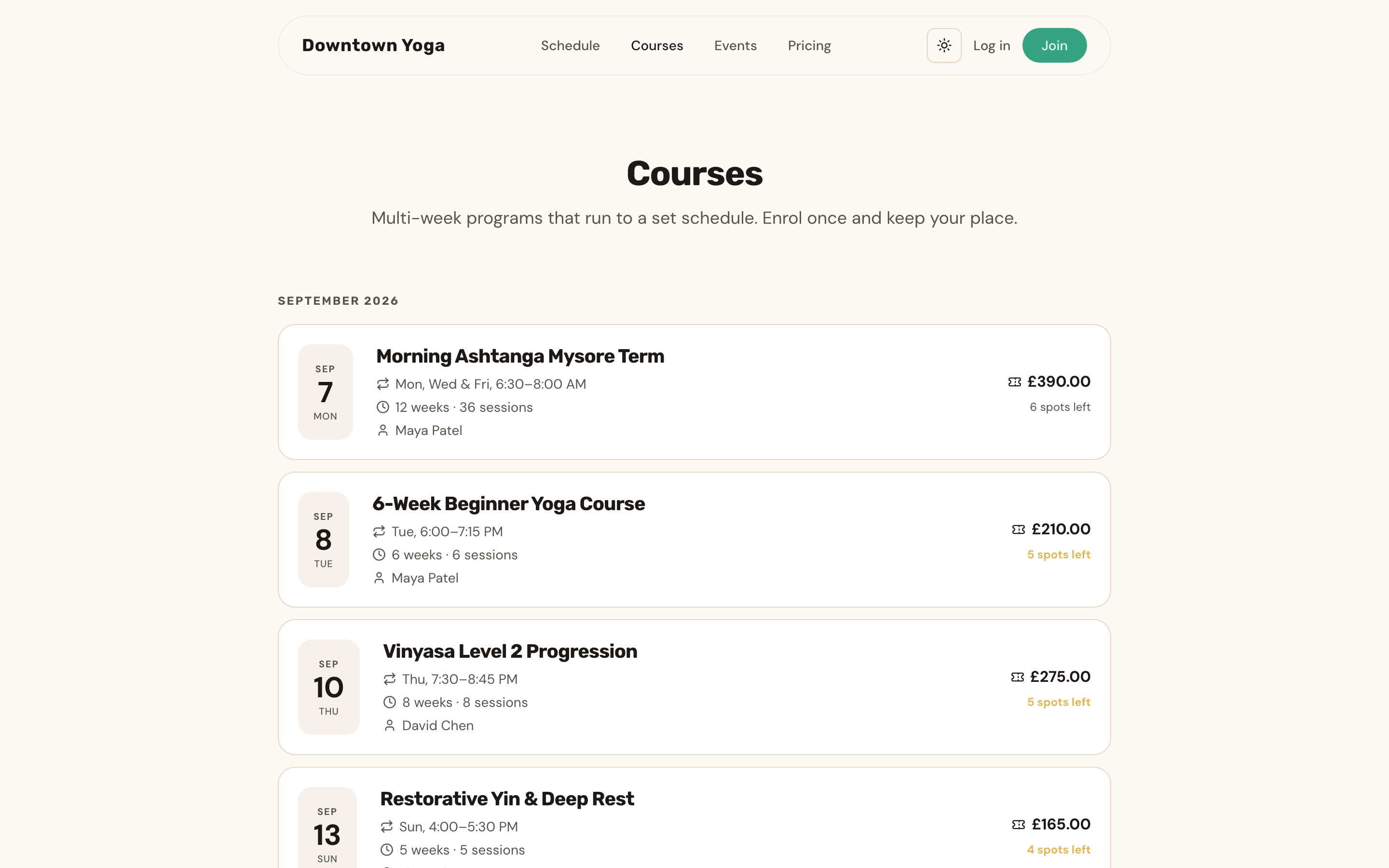
- A new Courses page lists your upcoming programs, each with its own detail page — full schedule, instructor, location and pricing — where visitors can enroll directly
- Manage individual sessions of a published course: cancel one date, move it, or add a make-up session without touching the rest of the program
- Published courses now protect their schedule from accidental changes, while price and capacity stay fully editable
Events
- Cancelling a paid event now automatically refunds every ticket — no manual work needed
- Event ticket sales get their own line in your revenue reports
- Members see their event tickets alongside class bookings, linking straight to the event page
Studio Dashboard
- The sidebar is reorganized around how you work — Schedule, Offerings, People, Business and Studio — with a permanent home for adding new offerings
- Brand-new studios start with one simple question — "What does your studio run?" — and get a setup checklist tailored to the answer
- Public Pages settings now show one card per offering, each with a live preview link
Member Experience
- Class times always display in your studio's timezone, so travelling members see the right time on the right day
- Booking from the schedule now explains clearly when something goes wrong, and required waivers open right in the flow
- Members with a payment issue see exactly what needs attention and where to fix it, with their remaining credits still visible
- Improved colors and contrast throughout the member portal in dark mode
- The RitualPass homepage loads much faster, with images appearing instantly
Events & WorkshopsNew
Run one-off events end to end — from creating and publishing to selling tickets and checking people in at the door.
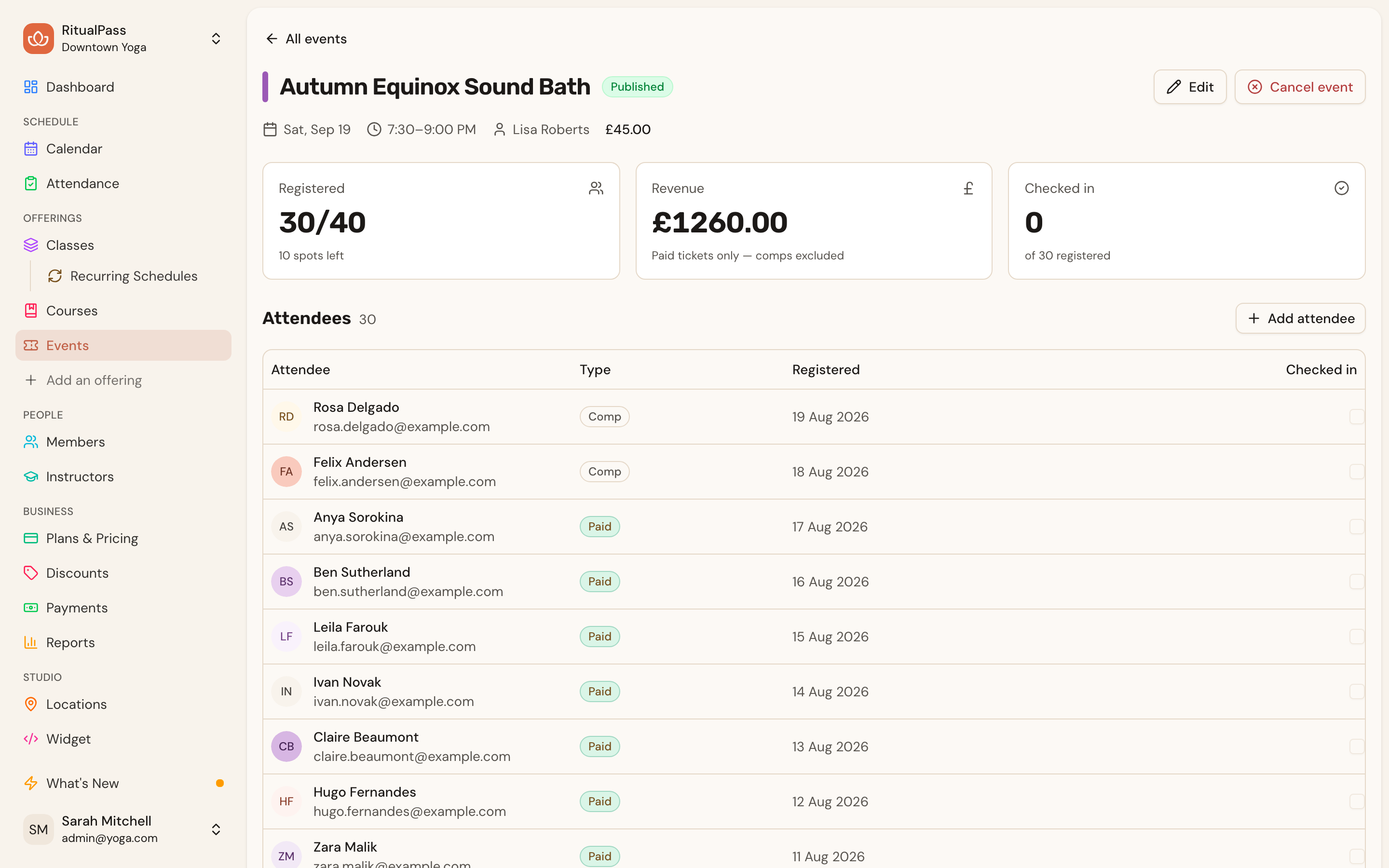
- Create and manage events from a new Events section in your dashboard, with attendee lists, complimentary spots and door check-in
- Sell paid tickets or take free RSVPs on a polished public event page — guests can register without creating an account
- Events appear alongside classes on your public schedule and upcoming lists
- Attendees automatically receive confirmation and cancellation emails, customizable like the rest of your emails
Setup & Onboarding
- The setup checklist now adapts to what your studio runs — a courses-only studio sees course steps, not class steps it can never finish
- Welcome and weekly summary emails are now smarter about where a new studio is in its setup journey
Member Experience
- Returning members who buy as guests get a clear path to sign in, with the purchase credited to their existing account
- Visitors can sign a required waiver right inside a free-event RSVP, and the signature carries over when they create an account
A Guided Setup HubNew
Getting a new studio live is now a guided journey that follows you across devices.
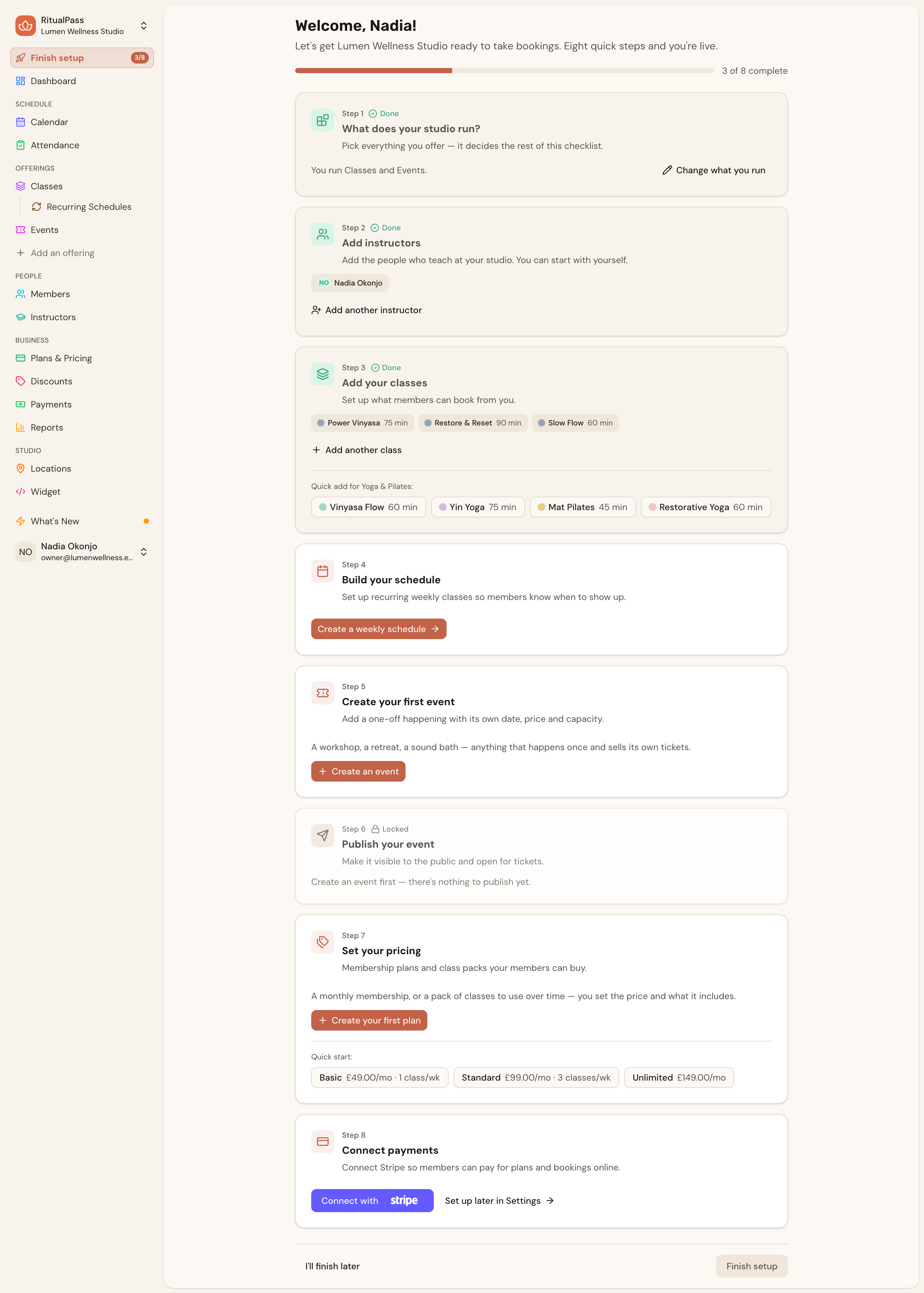
- A redesigned Setup Hub walks you through starter templates, adding yourself as an instructor, your schedule, pricing and payments — with progress saved to your account, not your browser
- Each step shows what's done and what's next, so you always know how close you are to opening
Member Subscriptions & RefundsNew
The full membership money lifecycle can now be handled right from your dashboard.
- Cancel, pause or resume any member's subscription from their profile, with the exact end-of-access date shown before you confirm
- Issue refunds from a new payment detail page that shows the full history of every transaction
- When a purchase is fully refunded, credits and enrollments are cleared automatically
Studio Dashboard
- Cancelling a class from the calendar now asks for confirmation first, so a stray click never notifies your members by accident
Simple, Transparent PlansNew
RitualPass now comes in three plans — Practitioner, Studio and Scale — with billing you manage yourself, right in the dashboard.
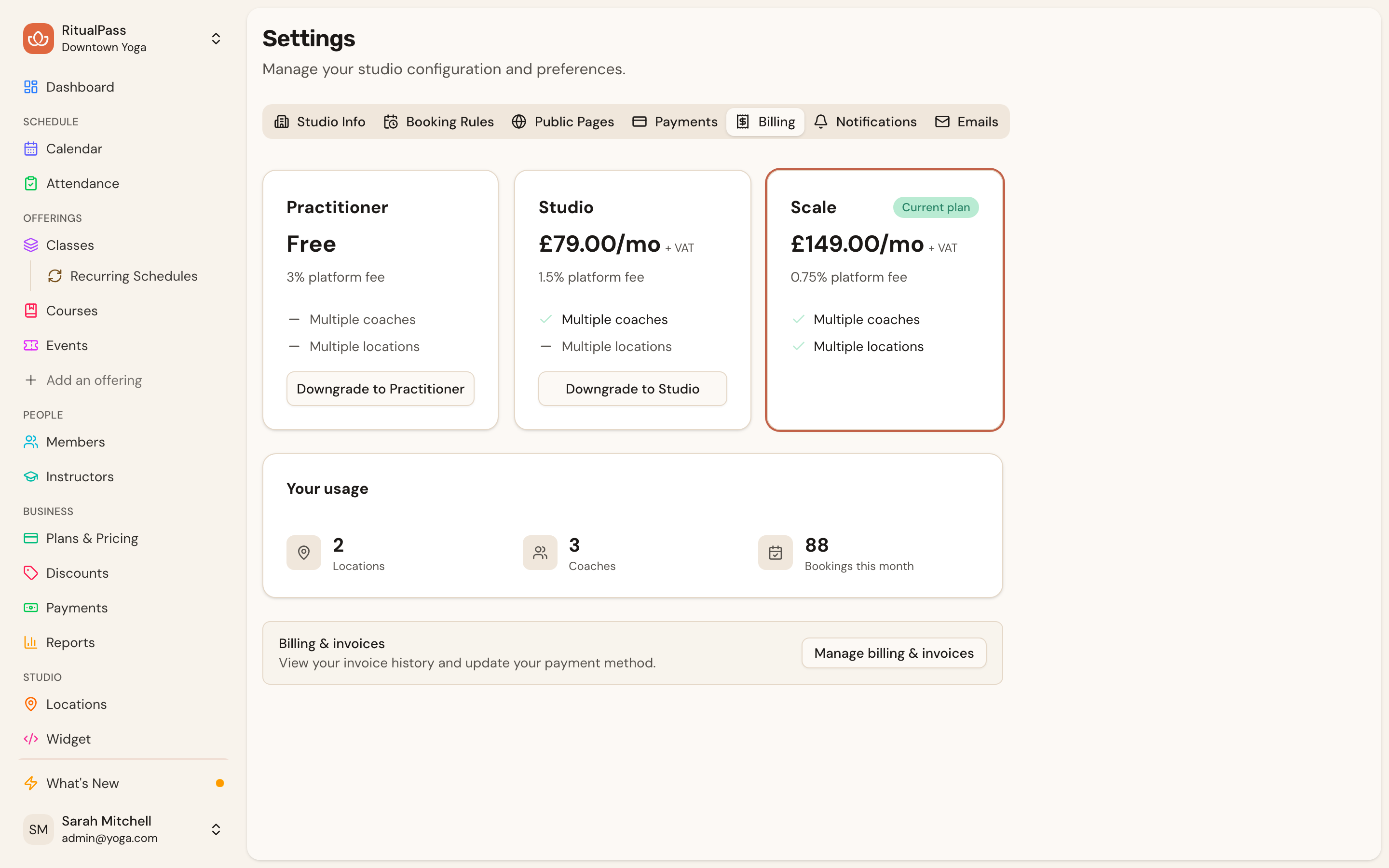
- Pick your plan at signup, or start free on Practitioner and upgrade whenever you're ready
- A new Billing tab in Settings shows your current plan, live usage and a side-by-side comparison, with one-click upgrades and scheduled downgrades
- Manage invoices and payment methods any time through a secure billing portal
- Higher plans enjoy lower platform fees on every booking
Booking Reliability
- Booking the last spot in a class is now rock-solid, even when two members tap at the same moment
- Weekly class limits follow your studio's local week, so late-night classes always count toward the right week
- Class packs and waitlists work together smoothly — credits are handled correctly when a spot opens up
New Studio Signup
- Signup pre-fills your terminology and booking defaults based on your business type, so a pilates studio and a sauna start from different, sensible defaults
A Brand-New HomepageNew
ritualpass.com has a fresh face — the site now leads with the real product and works beautifully in light and dark.
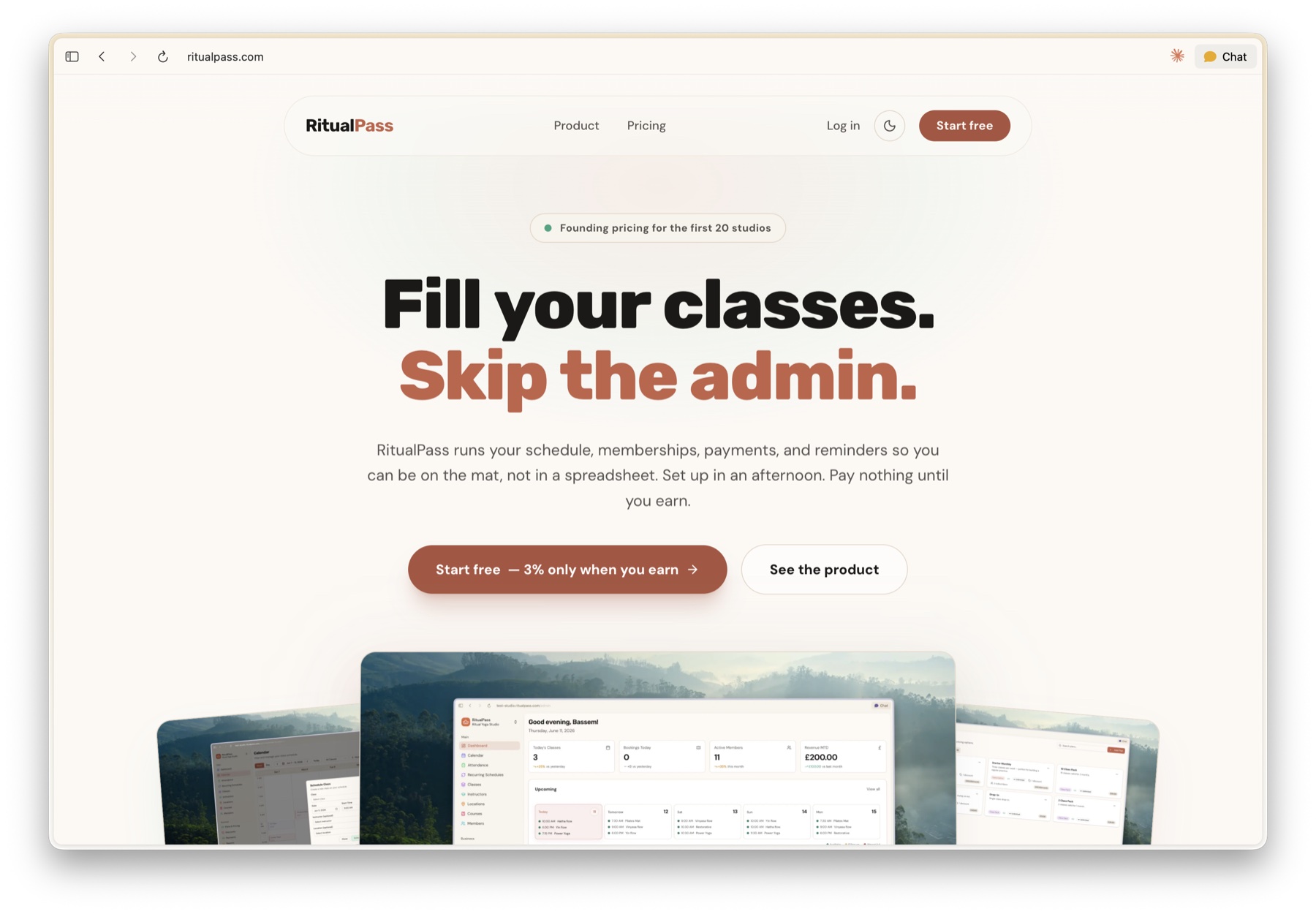
- The homepage now shows the actual studio dashboard, calendar, and plans — real screenshots, not mock-ups
- Full light and dark mode, with a toggle that remembers your preference
- Pricing stated plainly upfront: free to start, a simple 3% plus Stripe fees when a member books
Studio Dashboard
- The weekly schedule now always follows your studio's local time, so classes near the start or end of the week stay exactly where they belong even when you're travelling in a different timezone
Customizable EmailsNew
Studio owners can now tailor the emails members receive — rewrite the subject line, intro, and helpful tips — with a live preview that shows exactly how each email will look before you save.
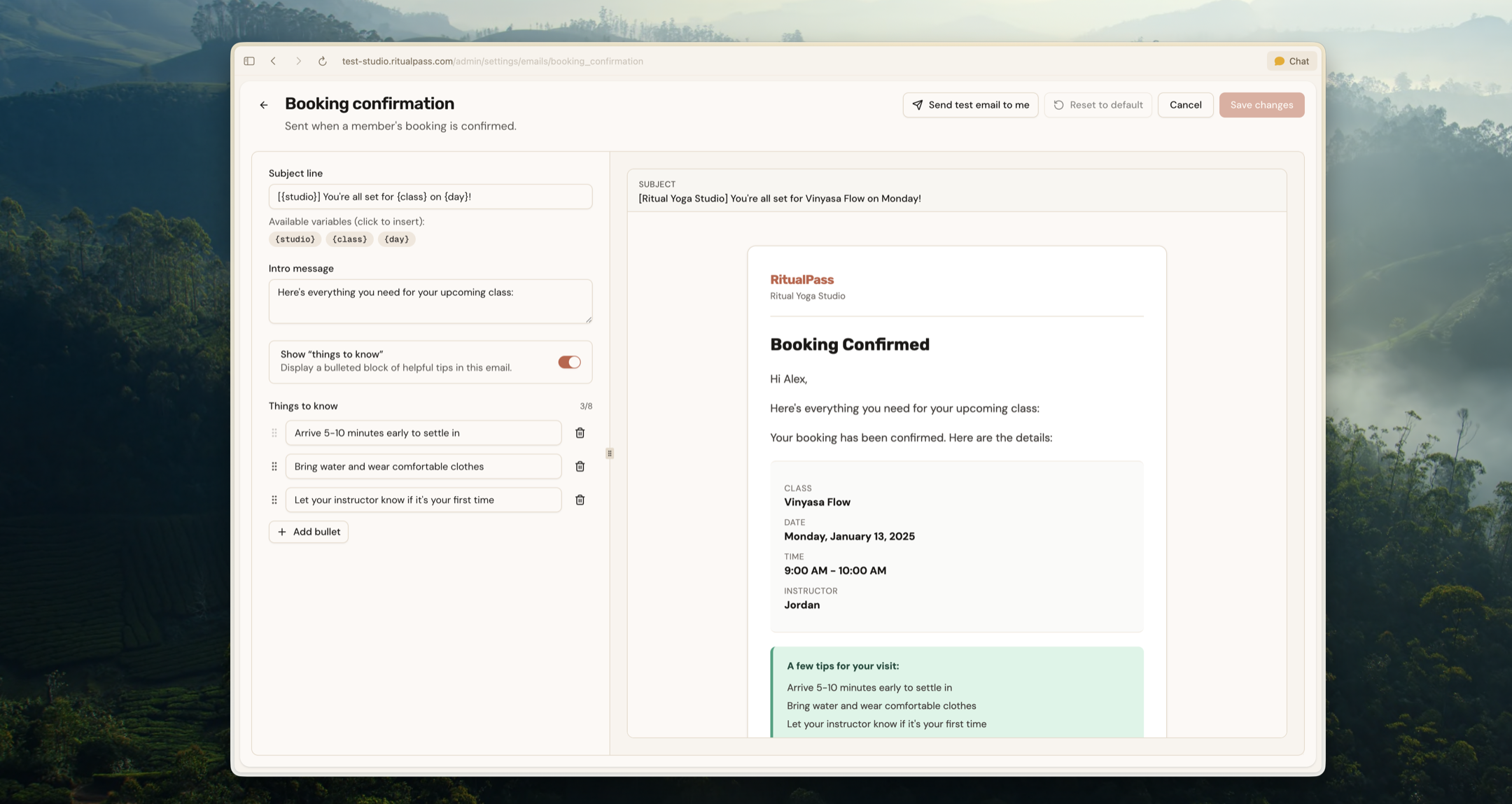
- Edit the booking confirmation, cancellation, waitlist-promotion, and welcome emails from a new Emails tab in studio settings
- A side-by-side editor shows your changes rendered live as you type, with handy variables like studio and class name to drop in
- Toggle the "things to know" tips block on or off and reorder your own bullet points
- Send a test email to yourself, and reset any email back to the default whenever you like
Notifications
- Studio owners now receive an email whenever a member books a class, so new bookings never go unnoticed.
- Studio owners are also notified when a member cancels a booking, making it easy to keep an eye on class availability.
- Members who enroll in a multi-session course now get a welcome email laying out the whole program — full schedule, instructor, and start date in one place.
Member Experience
- After paying, members now land on a polished confirmation page that signs them in and walks them through finishing their account setup.
- Added a friendly "back to your studio" page so members always have an easy way to return if they reach an unexpected link.
Discount CodesNew
Studios can now offer percentage or fixed-amount discount codes on plans, class packs, and courses, and members can enter codes at checkout to apply savings instantly.
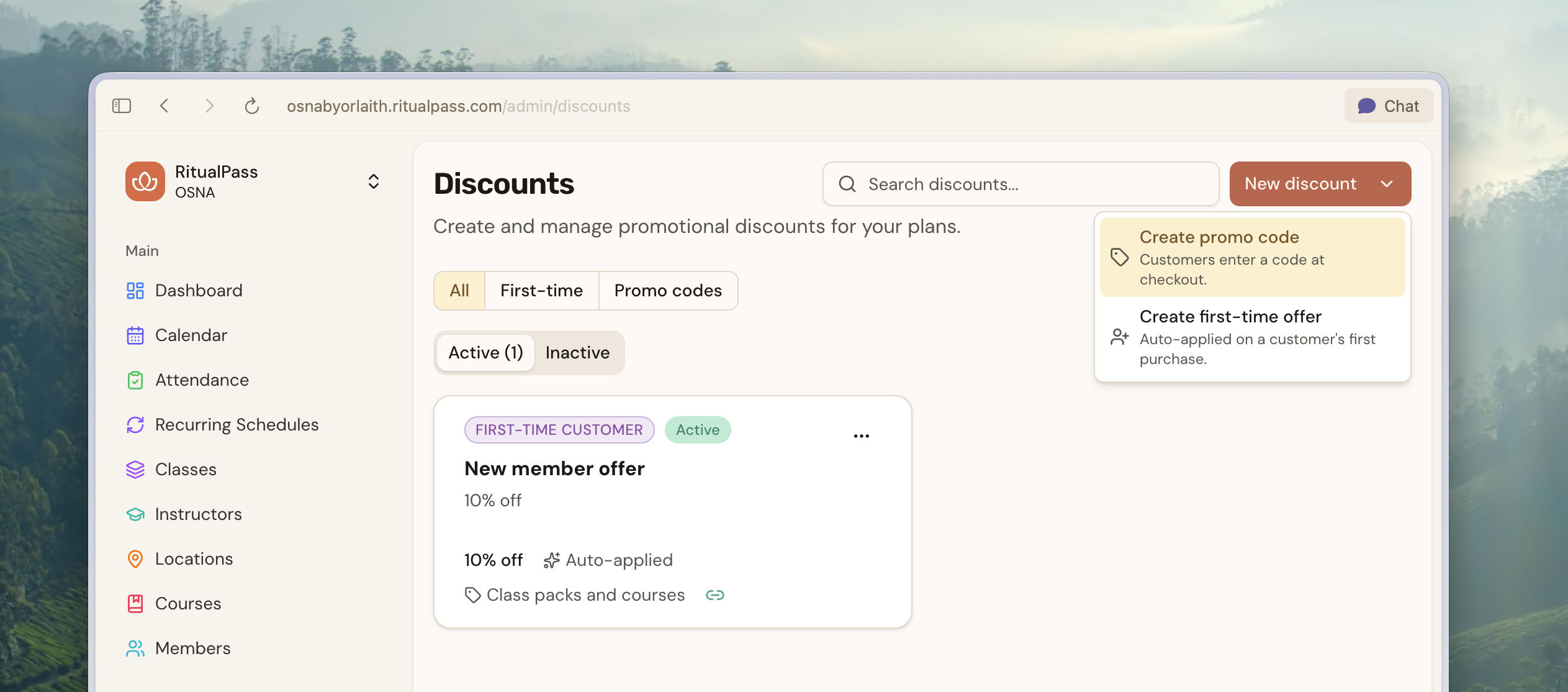
- Build codes from a dedicated Discounts section in the studio dashboard, with type-aware fields and a picker for which products each code applies to
- Each code has a detail page with an Overview tab and a Redemptions tab showing exactly who used it and when
- Members see a clean code-entry step at checkout, with live validation and a clear message when an auto-applied discount already beats the entered code
Multi-Studio SignupNew
Owners with more than one studio can now run them all from a single account and switch between studios without signing out.
- A new studio switcher in the dashboard lets you jump between studios you own
- "Add another studio" opens an email-first signup wizard that re-uses your existing account
- Each studio keeps its own settings, branding, and Stripe connection
International StudiosNew
RitualPass now supports studios outside the UK — pick your country at signup and your account is set up to pay out in your local currency.
- Country picker replaces the currency selector in studio signup, with support for the United Kingdom, Ireland, United States, Canada, and Australia
- Settlement currency derives automatically from your country (GBP, EUR, USD, CAD, AUD)
- Stripe Connect now creates accounts in the right country instead of defaulting to the UK
- You can update your country before connecting Stripe; once connected, country is locked
Pre-Signup Waiver SigningNew
Visitors can now sign required waivers before creating an account, so the path from "I want to buy" to checkout is shorter for first-time customers.
- Pricing page waiver banners and sign sheets now work for anonymous visitors
- Signed waivers carry over to the new account automatically once checkout completes
- Inside embedded widgets, the waiver flow opens in a fresh tab so it works reliably under browser cookie restrictions
Member Portal
- New left sidebar navigation replaces the top header for a calmer, more familiar layout
- Booking cards, the profile activity panel, and Today's Classes got a visual refresh with subtle color washes and consistent rounded corners
- Profile membership section now shows class packs and course enrollments alongside subscriptions
Studio Dashboard
- Booking window can now be set to 60 or 90 days for studios that take long-range reservations
- Admins with a single studio can sign in from ritualpass.com and get routed to their studio automatically; multi-studio admins see a clean picker
- Course publishing now refuses to create sessions that would conflict with an existing booking in the same location
Public Schedule
- Multi-location studios can filter their public schedule by location, with a location picker shown whenever there's more than one
- Class slots are now clickable — visitors see full class info in a modal and can jump straight into the booking flow
General Improvements
- The waiver sign dialog now displays the acknowledgment checkbox correctly on iOS Safari and other mobile browsers
- Classes at studios that hide capacity info no longer appear as "Full" when they're actually open for booking
Upcoming SessionsNew
A brand-new public page that groups upcoming sessions by offering — perfect for studios that don't run every day. Visitors see one card per service with that service's next dates as quick-pick chips.
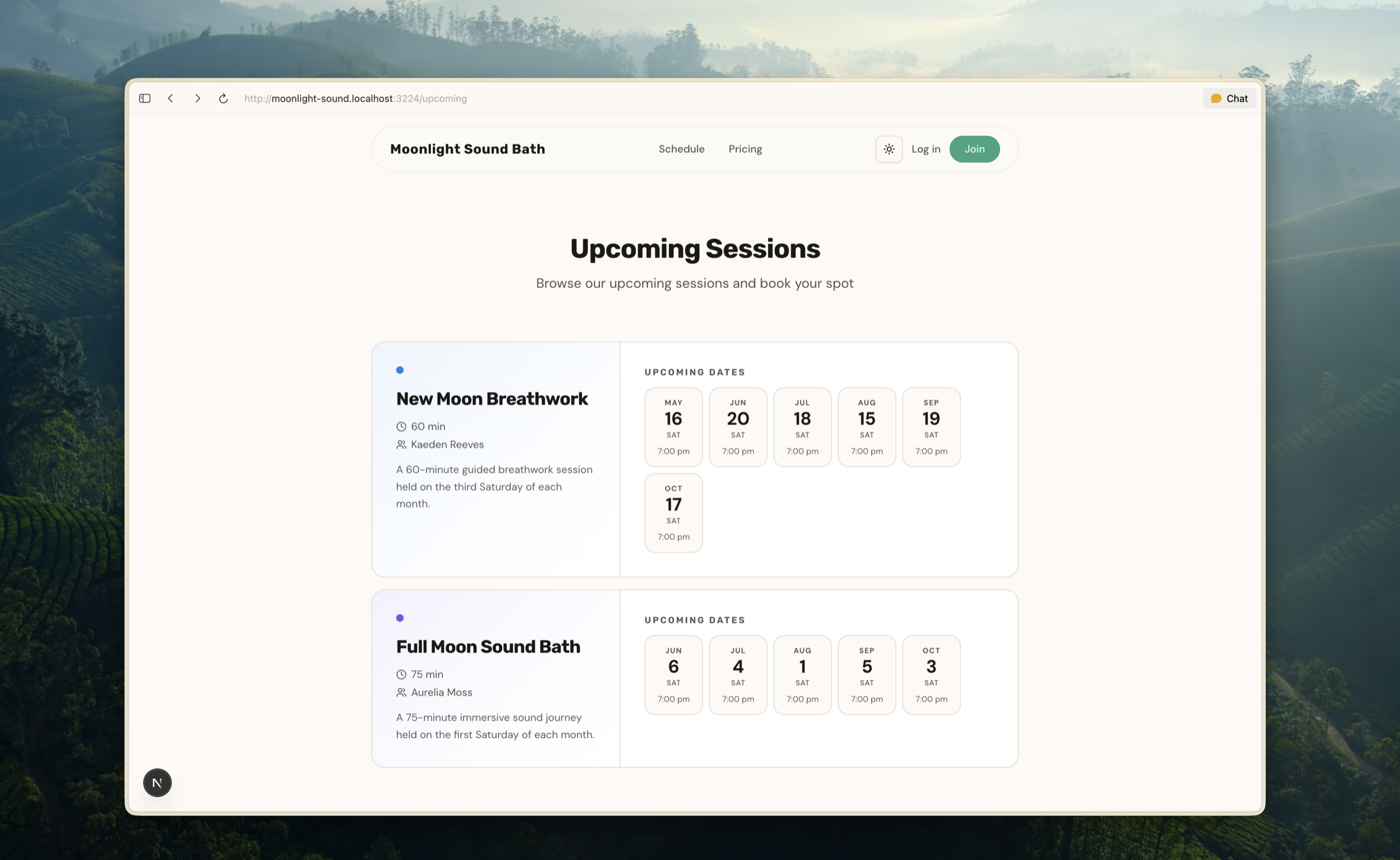
- Lives at its own public URL (/upcoming) so it can be linked or shared anywhere
- Each session card shows the service, instructor, duration, and a description alongside the upcoming date chips
- Empty schedules now show a warmer hero with an inline Sign Up button, inviting visitors to subscribe rather than reading like a missing result
Schedule View OptionsNew
Studio admins can now choose how visitors browse their schedule — a weekly calendar grid or the new Upcoming Sessions list — and the choice flows through every public and member-facing surface.
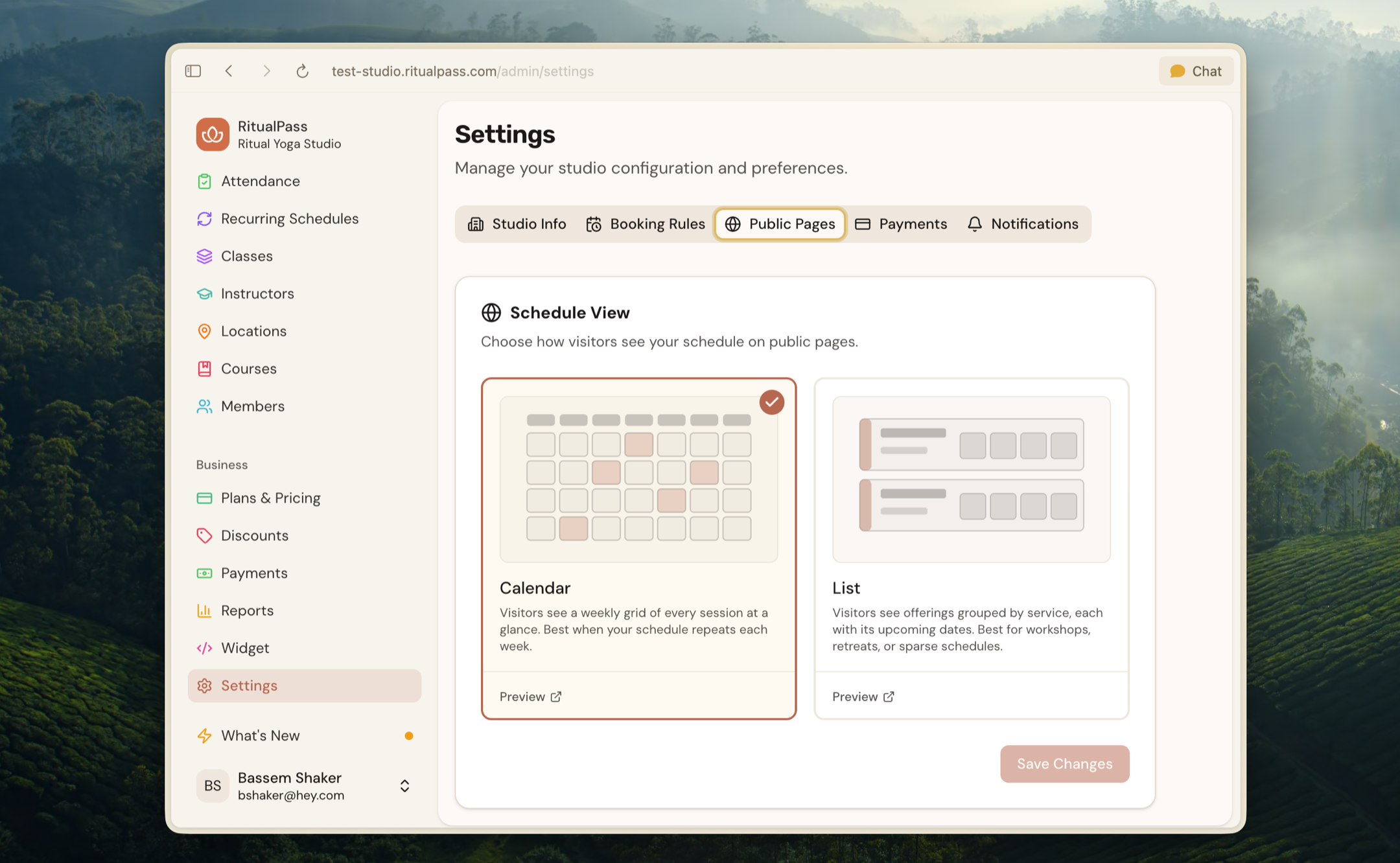
- New Public Pages tab in studio settings with a Schedule View toggle and live previews of each layout
- Schedule links across the studio homepage hero, navigation, and footer point to the layout you chose
- The member booking page also honors the studio's preferred view, so members and visitors see the same look and feel
Member Experience
- Class detail pages are now publicly viewable with a clean, shareable URL — anyone can preview a session before signing up
- Sign-up and login flows now remember where a visitor was heading and return them there once they're in, so booking from a public link feels seamless
- Time ranges that share an AM or PM now collapse to a single meridiem (e.g. "10:00–11:30 AM" instead of "10:00 AM – 11:30 AM")
Weekly SMS SummariesNew
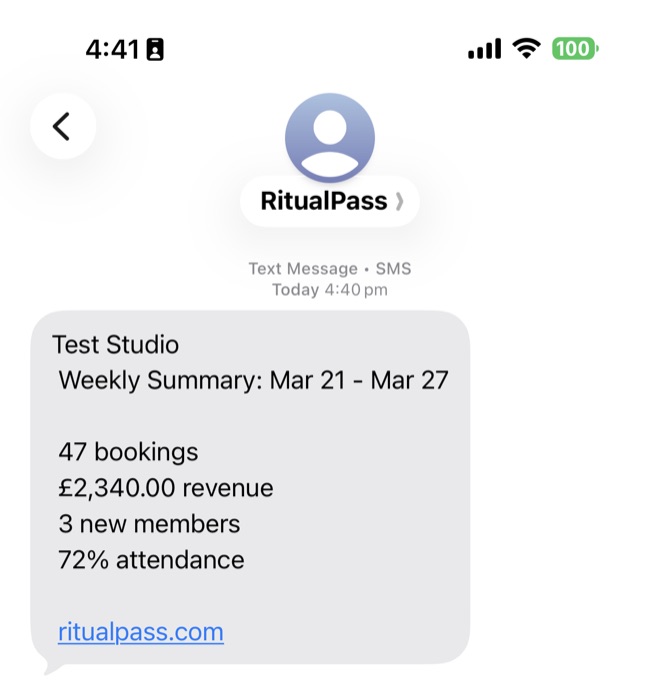
Studio owners now receive a weekly SMS with booking stats, giving you a quick snapshot of how your studio is doing without logging in.
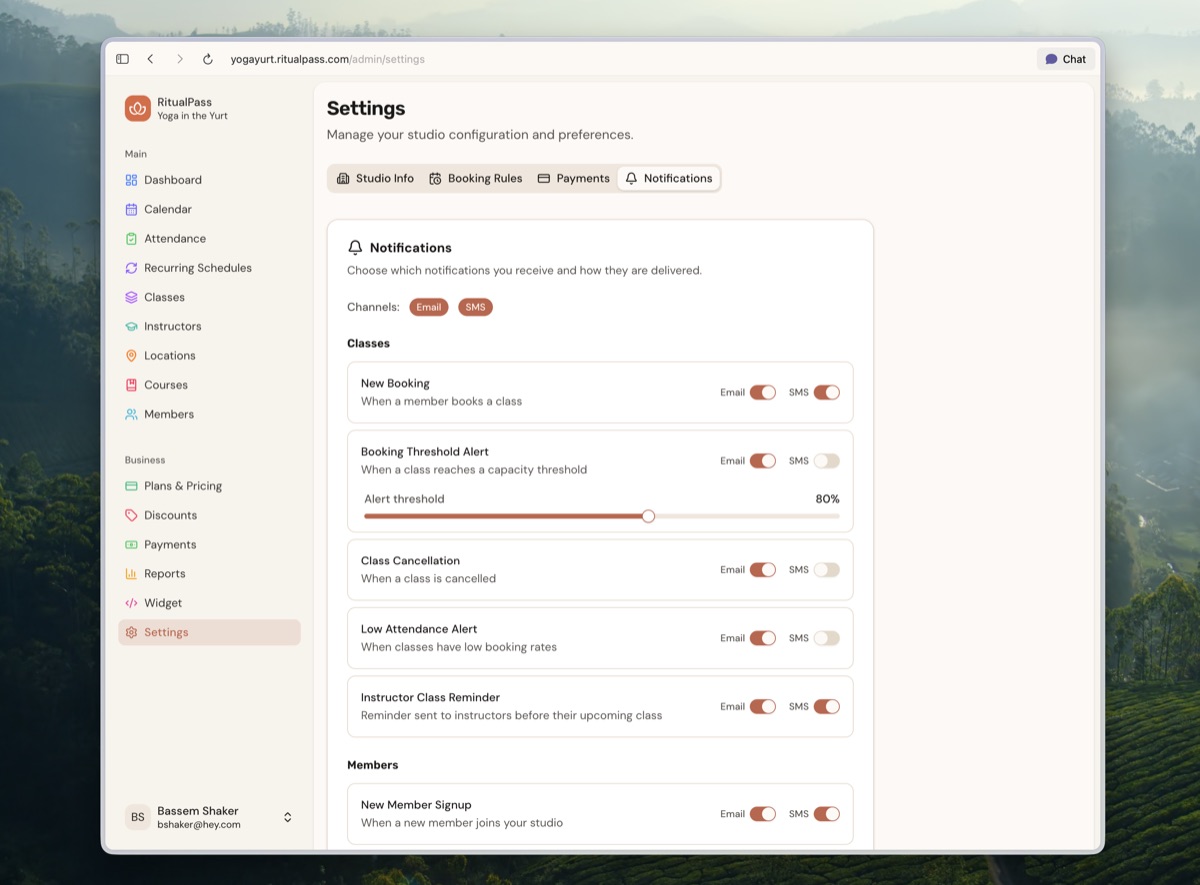
- Notification preferences now have separate email and SMS toggles per type
- Emails now arrive from "RitualPass" instead of a generic sender name
Instructor RemindersNew
Instructors now receive automated class reminder emails with timing you can configure, so they never miss a session.
- Instructors now have email and phone contact fields on their profile
Studio Dashboard
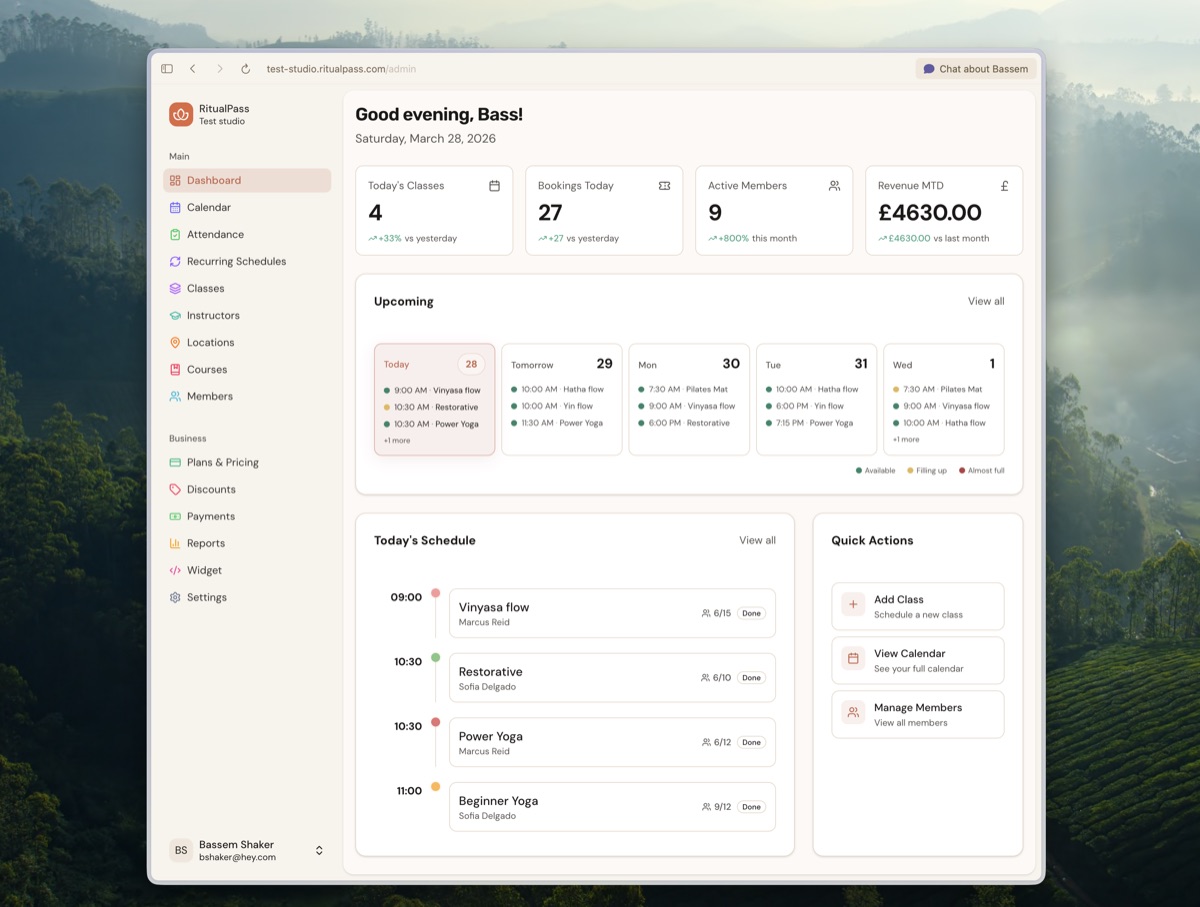
- Member details page redesigned with inline editing for quick updates
- Admin profile page now supports phone management and password changes
- Payment history now shows which card was used for each transaction
- Studio owners receive a notification when a new booking is made
- Attendance page layout improved for smaller screens
Widget & Embed
- Widgets now support dark theme and light/dark colour mode
- New colour customisation options including primary colour and background
- Daily schedule view added to the widget
Multiple LocationsNew
Studios can now manage multiple locations from the dashboard with full support for per-location scheduling and time conflict prevention.
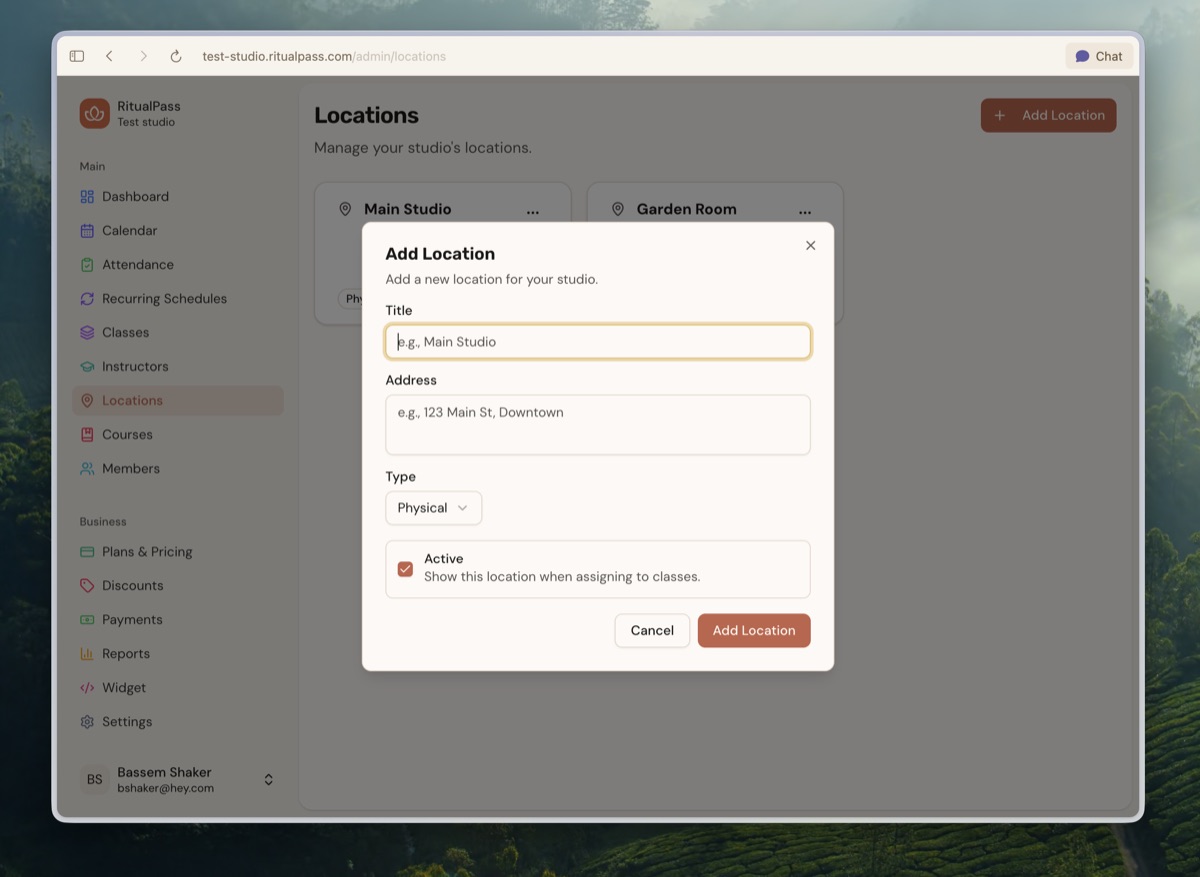
- Schedule, booking slots, recurring schedules, and courses all support location assignment
- Schedule view can be filtered by location
Embeddable Schedule & PricingNew
Your schedule and pricing pages can now be embedded directly on your website with a simple copy-paste code snippet.
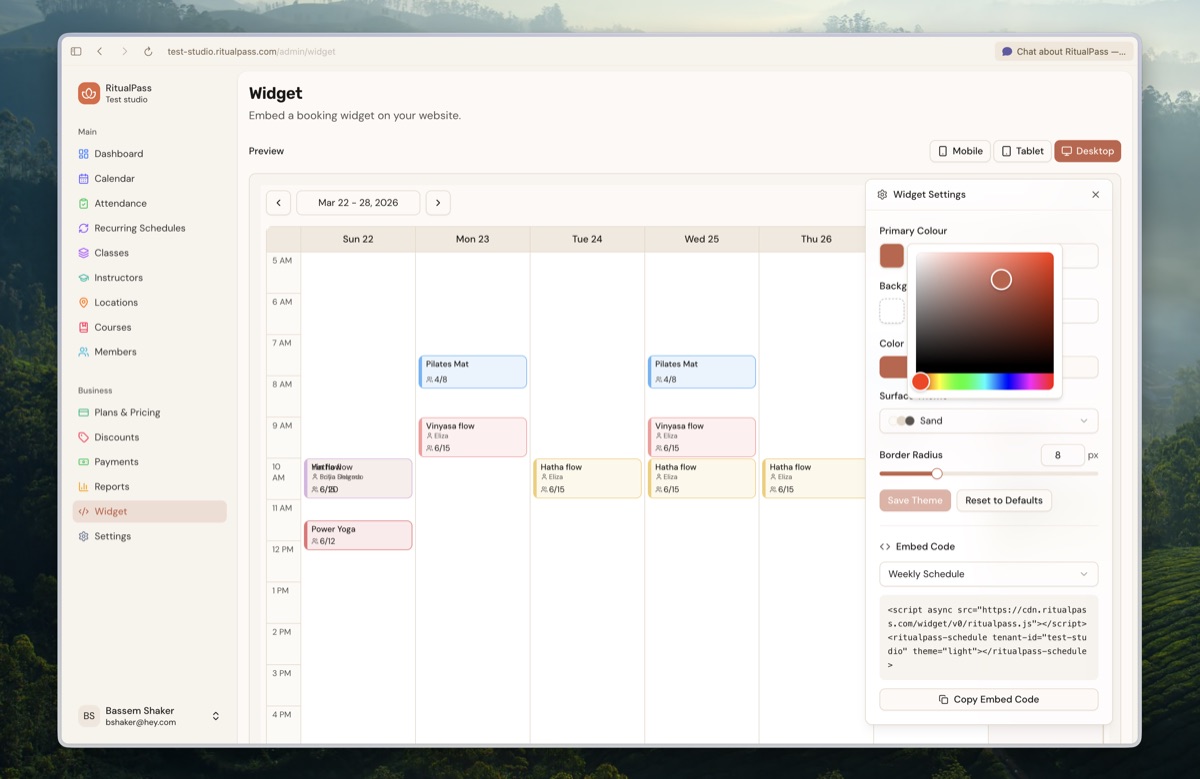
- Widget settings page with easy embed code generator
- Live preview shows how your widget looks at different screen sizes
- Studios can enable or disable the widget from settings
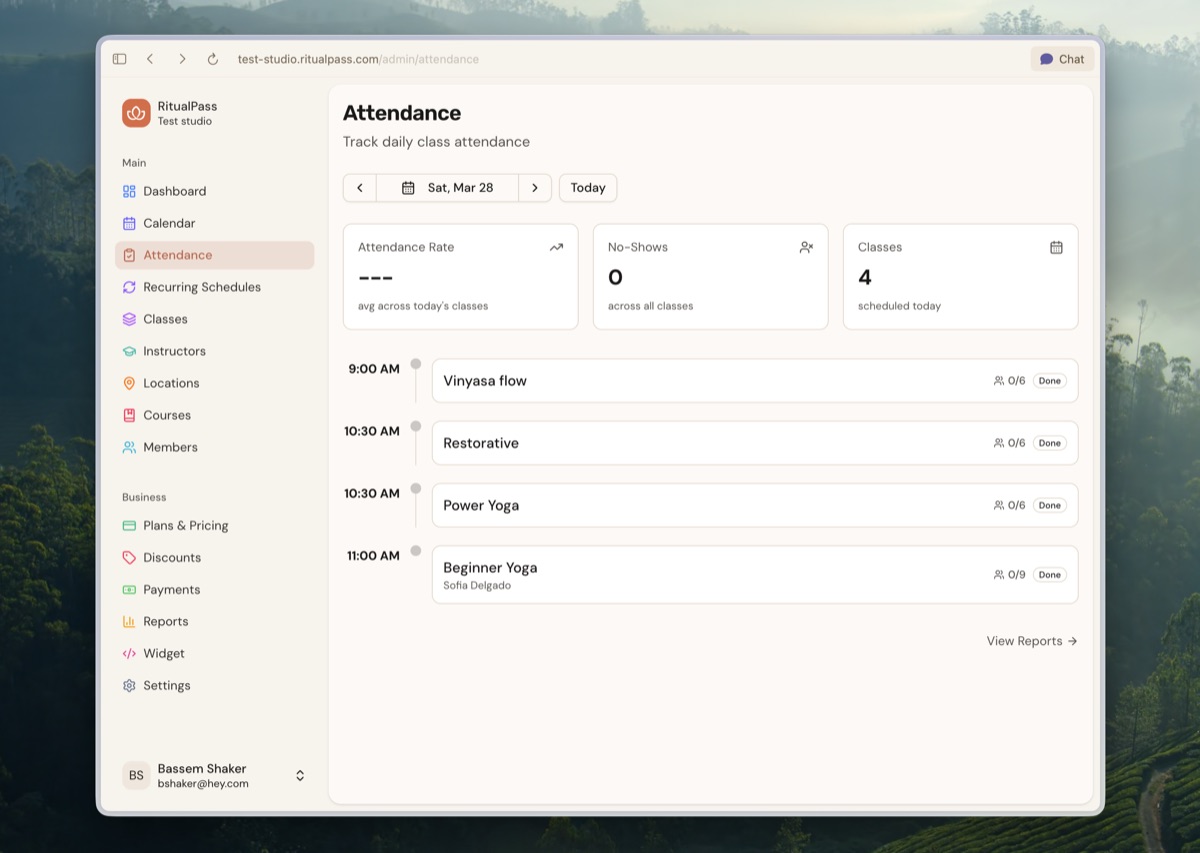
Attendance HubNew
A new dedicated attendance page for tracking class check-ins with bulk actions for quickly marking multiple members at once.
New Homepage & Studio PagesNew
RitualPass has a brand new homepage and your studio's public page has been redesigned with a clean, modern feel.
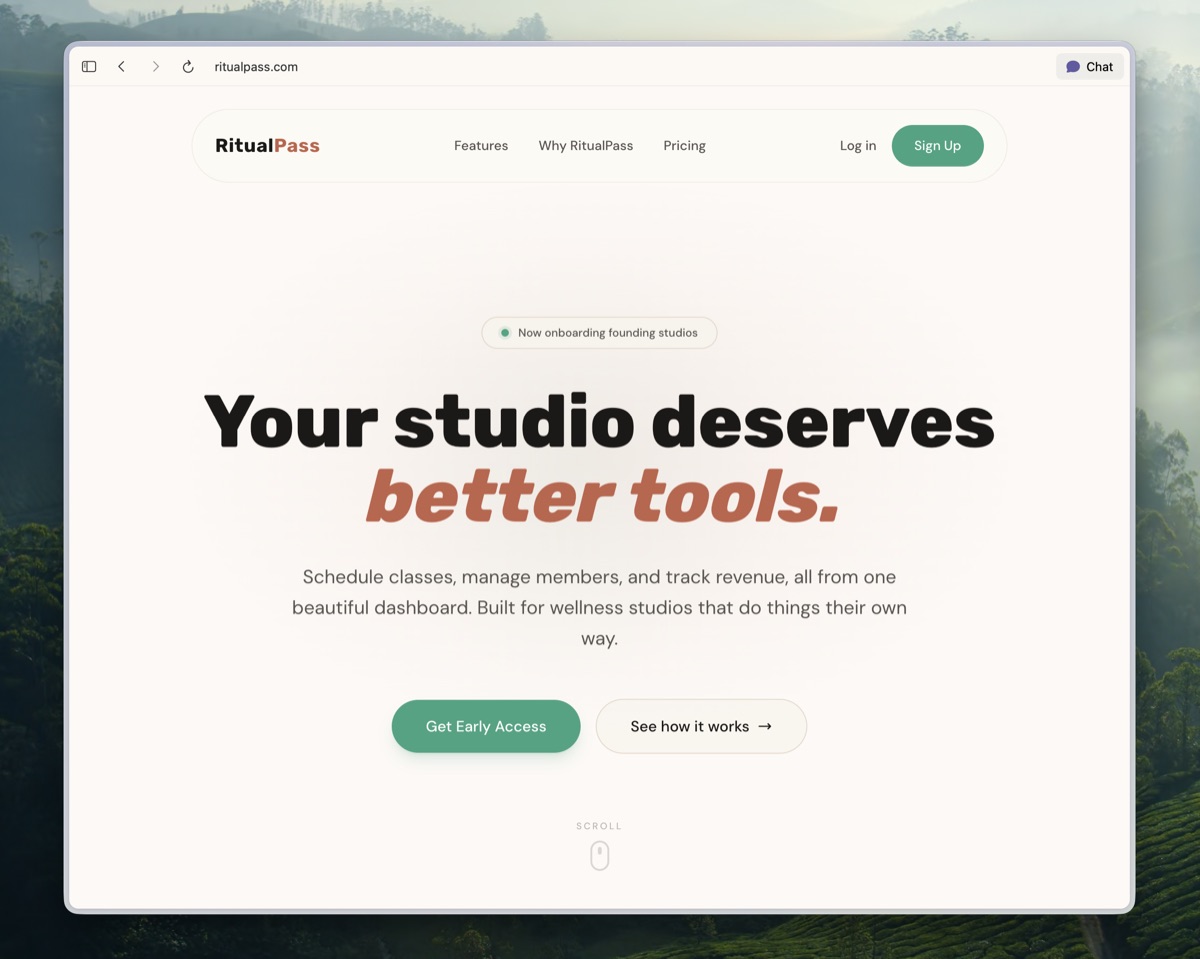
- Studio pages are now optimised for Google search results
- Improved signup flow with smoother animations and more business types
- Your plans sync automatically with Stripe when you connect your account
Course ManagementNew
Full course management is now available in the studio dashboard. Create, edit, and schedule courses, and they automatically appear on your pricing page.
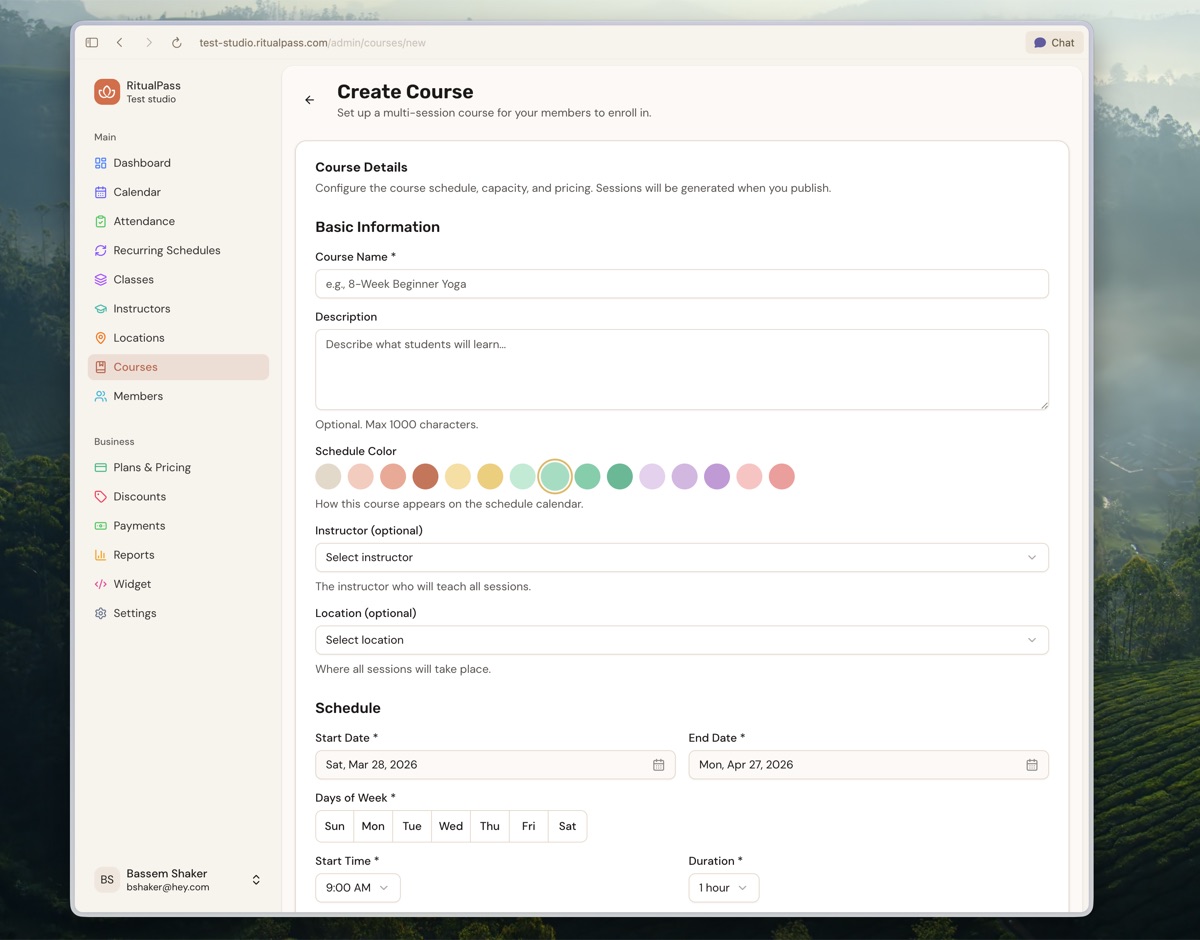
- Courses now appear as their own tab on the pricing page
Subscription Pause & ResumeNew
Members can now pause and resume their subscription directly from their account, giving them flexibility without cancelling.
Notifications
- Studio owners can now receive notifications via SMS
- New notification preferences panel to control what alerts you receive
Improvements
- Booking slot cards have a refreshed design
- Studio owners can choose whether to show class capacity to members
- Class type colours updated to match the new RitualPass design
Notification PreferencesNew
A new panel for controlling your email and SMS alerts, so you only get the notifications that matter to you.
Studio Dashboard
- Class pack information now visible on the members page
- Dashboard layout works better on mobile devices
- Calendar now uses day-by-day navigation on mobile
Member Experience
- Members can now see studio address and contact information
- Improved mobile booking controls on class detail pages
- Improved dropdown styling and avatar shapes
- Dark mode improvements across class detail pages
DiscountsNew
Studio owners can now create first-time customer discounts that automatically apply on the pricing page, encouraging first-time visitors to sign up.
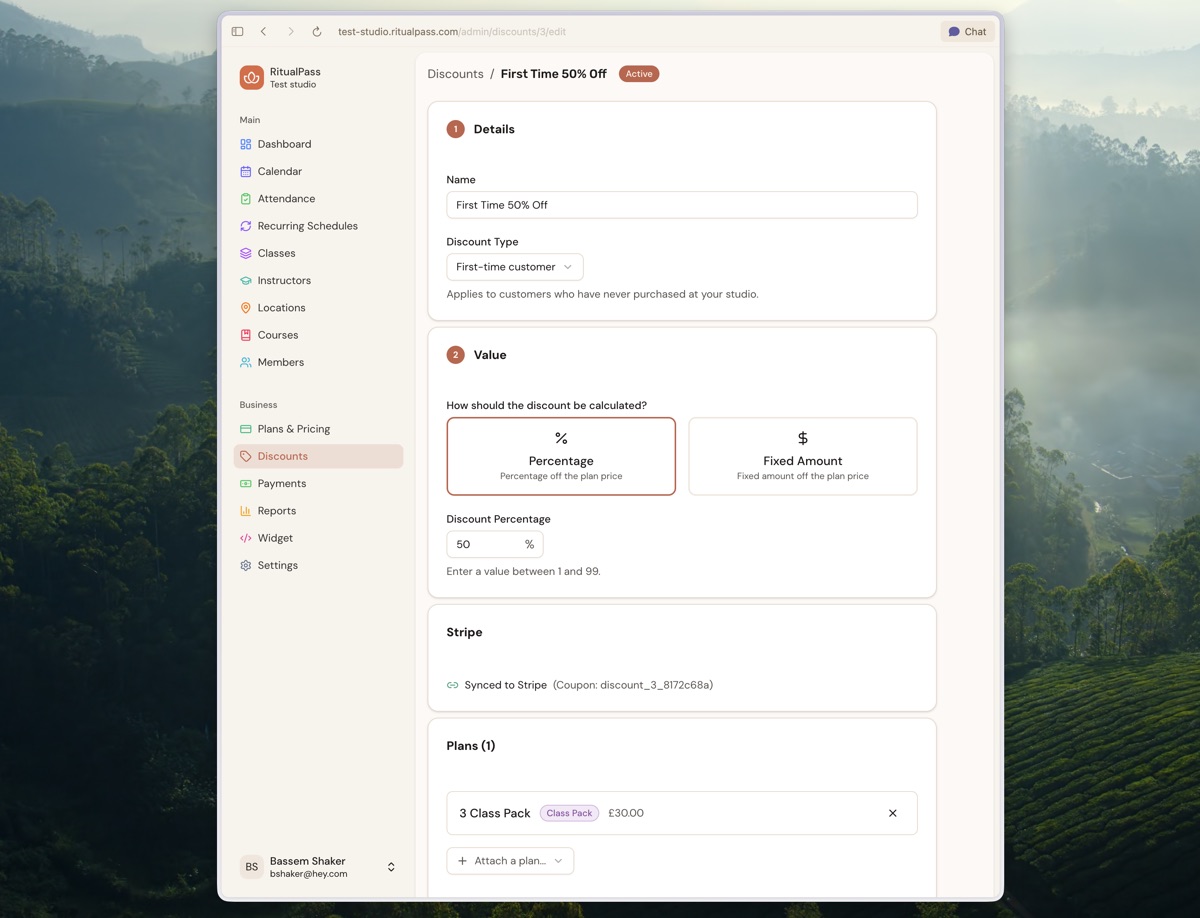
- Discount details shown directly on pricing cards
- Full discount management in the studio dashboard
Studio Dashboard
- Pricing page tabs refined with a smoother sliding pill design
- Best value badge now correctly accounts for discounted class pack prices
- Mobile navigation menu simplified